DIGITAL FORENSIC INVESTIGATION
For Business and Legal Matters

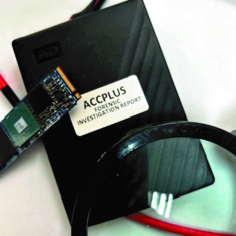
Digital Forensic Investigation in Singapore
When something goes wrong in a business, the computer may hold important clues. Files may have been accessed, modified, deleted or transferred. Records of USB device connections, system activity and email data may also help establish what happened.
Accplus Technologies provides computer forensic investigation services in Singapore, focusing on Windows computers and supported storage devices. Our work helps businesses, employers and parties involved in disputes examine available digital evidence and understand the findings.
What Is a Digital Forensic Investigation?
Digital forensic investigation is the systematic examination of digital devices and the records they contain. The aim is to identify relevant evidence, examine it carefully and determine what the available records can tell us.
Depending on the condition of the device and the available data, an examination may help answer questions such as:
- Were company files accessed, modified or deleted?
- Are there records of USB storage devices being connected?
- Are there traces that may help establish whether files were transferred?
- What computer activity can be identified during a particular period?
- Can relevant deleted files or email data still be recovered or examined?
- What sequence of events can be reconstructed from the available evidence?
Not every activity leaves a complete record, and some evidence may no longer be available. Findings must therefore be assessed in context, with any limitations clearly explained.
When Might You Need a Computer Forensic Investigation?
1. Departing Employee and Corporate Investigations
When an employee leaves a company, an employer may have concerns about confidential information, client records or business documents. A Windows computer examination may help identify relevant file activity, USB device records and other available traces that could assist an investigation.
2. Suspected Employee Misconduct or Unauthorised Access
If there are concerns about inappropriate computer use, unauthorised access or the handling of company information, a forensic examination can help establish what the available system records show. The findings may help clarify the circumstances and support further enquiries.
3. Deleted Files, Emails and Business Disputes
Important documents or emails may have been deleted or become inaccessible. Depending on the device and its condition, it may be possible to recover some files or examine remaining records that help explain what happened.
Available Outlook email data may also be examined where relevant to the investigation.
4. Suspected USB File Transfers
USB connection records and related computer artefacts may help identify when a storage device was connected and what other relevant traces are available. However, a USB connection by itself does not prove that particular files were copied. Any conclusion must be supported by the available evidence.
5. Suspected Computer Compromise
If you suspect that a computer has been accessed without authorisation or used in an unusual way, an examination of available Windows system artefacts and activity records may help identify relevant indicators and establish a clearer picture of the incident.
What Does Our Forensic Examination Involve?
Forensic Imaging and Evidence Preservation
Where appropriate and technically possible, we create a forensic image of the relevant storage device for examination. Write-blocking technology may be used where applicable to help prevent writes to the original storage media during imaging.
Proper evidence handling is important, particularly where findings may be used in a workplace investigation, a dispute or legal proceedings. The appropriate procedure depends on the device, its condition and the requirements of the case.
Examination of Windows Digital Artefacts
Depending on the case, the examination may include:
- Windows system artefacts and available computer activity records
- File-system information and relevant file records
- Recoverable deleted files and remaining file-system traces
- USB storage device connection records and related activity
- Available Outlook email data and relevant email artefacts
- Timelines reconstructed from multiple sources of digital evidence
The exact scope depends on the computer, the storage media, the period under investigation and the evidence that remains available.
Written Forensic Report
For cases requiring formal documentation, we can prepare a written forensic report describing the agreed scope of examination, methods used, relevant findings and limitations.
If the report is intended for legal proceedings, please let us know before the examination begins. We can discuss the requirements and whether the proposed work is suitable for the intended purpose. Acceptance and evidential weight in legal proceedings depend on the circumstances and applicable requirements.
Important: What Should You Do If You Suspect an Incident?
If you believe that important digital evidence may be involved, taking a few precautions can help avoid unnecessary changes to the device.
- Avoid unnecessary use. Do not browse, install applications, delete files or run cleanup tools on the computer.
- Be careful about switching the computer on or off. If it is already running, seek advice before shutting it down. If it is off, leave it off until you have discussed the situation with a suitable examiner.
- Keep the device secure. Limit access to the computer and any related storage devices.
- Preserve relevant information. Keep track of the incident, the approximate dates involved and any known actions taken on the computer.
- Contact us before attempting recovery. Some actions can overwrite or alter information that may be relevant to an investigation.
Deleted data on SSDs can be particularly difficult to recover because of processes such as TRIM and garbage collection. Even when the original file contents are no longer recoverable, other relevant system records may sometimes remain. Each case needs to be assessed individually.
Why Discuss Your Case with Accplus Technologies?
Every case is different. Before recommending an examination, we discuss what you are trying to establish, which device is involved and what information may be available.
- Practical assessment: We discuss the issue and the likely scope of the examination before proceeding.
- Clear explanations: We explain technical findings in understandable language, including what the evidence can and cannot establish.
- Defined scope: The examination is guided by the questions and requirements of the case.
- Confidential handling: We understand the sensitive nature of corporate, employment and personal digital evidence.
- Transparent discussion: We discuss the proposed work, costs and limitations before proceeding.
Discuss Your Digital Forensic Investigation with Us
If you are a business owner, employer, company representative or legal professional who needs a Windows computer examined, contact us confidentially to discuss the circumstances.
You do not need to know the technical details beforehand. Explain what has happened and what you are trying to establish, and we can discuss the possible next steps.
Accplus Technologies Data Recovery Centre
Digital Forensic Investigation Services — Singapore
Call Louis: +65 9691 2628
WhatsApp: Message us on WhatsApp
Email Us: louis@accplus.com.sg
Please avoid sending confidential files or sensitive evidence before we have discussed a suitable way to provide them.